Three versions of the same BOM
Excel copies float around and nobody is sure which one production used.
Build multi-level BOMs with sub-assemblies and bought-out parts, attach the routing, and keep old and new revisions apart so the floor never builds from an outdated drawing.
Excel copies float around and nobody is sure which one production used.
A revised part gets made the old way because the change wasn’t passed on.
Panel builders and assemblers juggle separate sheets for each level.
Included for every user, with every plan.
Finished goods, sub-assemblies and components in one tree.
Create a new version without losing the old one. Mark which is default.
Define the operations, machines and sequence for each part.
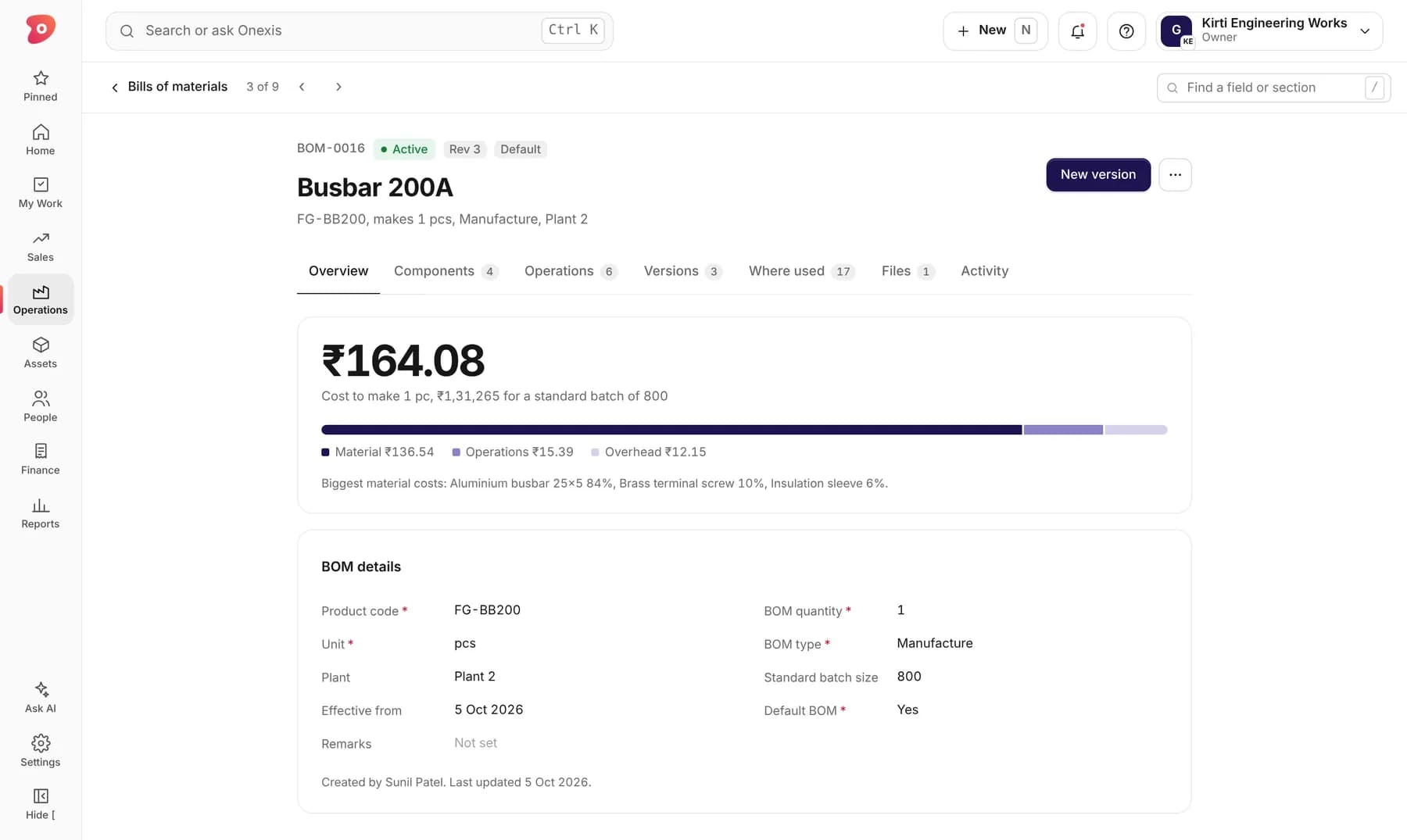
Material, operations and overhead roll up into a cost per piece.
See every product a component is used in before you change it.
Plan by your real batch size, not by one piece.
This is how it looks in Onexis today. Sample data.
Add components, quantities and units.
Operations, machines and job work steps.
Production always picks the right one.
New versions keep the history intact.
Something else? Ask us directly.
Yes. Units are set per component, so sheet in kg and parts in pieces work together.
Our team loads your existing BOMs during setup.
Yes. Outsourced operations like plating or heat treatment are added as routing steps.
Send us one product or drawing. In 30 minutes we show it inside Onexis, from raw material to invoice.